
Pager System Buying Guide
A pager system buying decision should start with the customer waiting flow, not with a long product catalog. STMITE buyers usually need one clear answer: which pager quantity and workflow will keep the counter calmer during normal rush periods?
Start with the Waiting Problem
Write down where customers wait, how long they normally wait, and what staff do when the order, appointment, or service ticket is ready. A restaurant pickup counter, clinic reception desk, church nursery, and food truck can use a similar paging concept, but the right quantity and range plan may be different.
Choose by Active Waiting Count
| Active waiting count | Suggested starting page | Best-fit use case |
|---|---|---|
| Light flow | 10 pager system | Small cafes, food trucks, compact clinics, starter counters |
| Steady flow | 16 pager system | Growing pickup counters and daily service desks |
| Rush-hour flow | 20 pager system | Busy restaurant pickup, cafes, and food halls |
| Larger queue | 24 pager system | Higher-volume waiting areas or slower pager return |
Check Range Before You Buy
Range depends on walls, kitchen equipment, doors, outdoor waiting, transmitter placement, and whether customers move around after receiving a pager. If customers wait outside, across a food hall, or behind thick walls, review the long range pager system page before ordering.
Compare the Main Buying Paths
- Restaurant pager system for takeout counters and food pickup.
- Guest paging system for general waiting-area workflows.
- Wireless calling system for customer return-call use cases.
- Customer paging system for pickup and service counters.
- Paging systems category for the live STMITE product path.
Staff Workflow Checklist
- Assign a pager number to the order, ticket, appointment, or guest.
- Keep the transmitter in a place staff can use without slowing handoff.
- Make the pager return point obvious after pickup or service.
- Return pagers to the charging base quickly so the active count stays available.
- Train staff on the same routine before the busiest shift.
View STMITE products or contact STMITE if range, quantity, or bulk ordering is unclear.
FAQ
What is the first thing to check before buying a pager system?
Start with the highest number of people waiting at the same time during a normal rush period, then add a small buffer for pagers still with customers.
Should I buy by product name or by use case?
Use case comes first. Restaurant pager, guest pager, food buzzer, and customer paging searches often point to the same core waiting-area workflow.
When should I contact STMITE before ordering?
Contact STMITE before ordering if customers wait outdoors, the building has thick walls, or you need a multi-location or bulk quantity plan.
Next useful pages
Compare The Next STMITE Pager Path
These internal links connect the main commercial pages, live product path, and comparison pages for faster buyer discovery.Core buying paths
- Restaurant Pager SystemMain restaurant pickup and waiting-area buying path.
- Guest Paging SystemGeneral guest waiting and return-call planning.
- Wireless Paging SystemBroad planning page for restaurants, clinics, and service desks.
- Wireless Calling SystemReturn-call workflow for pickup and service counters.
- Customer Paging SystemCustomer callback planning for waiting areas and counters.
Pickup notifications
- Takeout Pager SystemFood pickup and takeaway counter notification path.
- Order Ready Pager SystemOrder-ready alerts for food, drink, and service pickup.
- Customer Notification SystemOn-site customer notification without app or phone signup.
- Queue Paging SystemQueue flow page for customers waiting away from the counter.
Product and comparison
- Paging Systems CategoryBrowse the live STMITE paging system product category.
- Wireless Guest Pager System ProductReview the current live guest pager product page.
- Pager System ComparisonCompare use cases, sizes, and setup decisions.
- Wireless Calling System ComparisonCompare pagers with SMS, screens, and call-button workflows.
- Best Restaurant Pager SystemChoose by pickup volume, waiting area, and staff workflow.
- Long Range Pager SystemPlan distance, walls, transmitter placement, and waiting zones.
- Pager System vs SMS QueueCompare on-site pagers with phone-based queue alerts.
STMITE product library
Start the buying guide with real product-library images
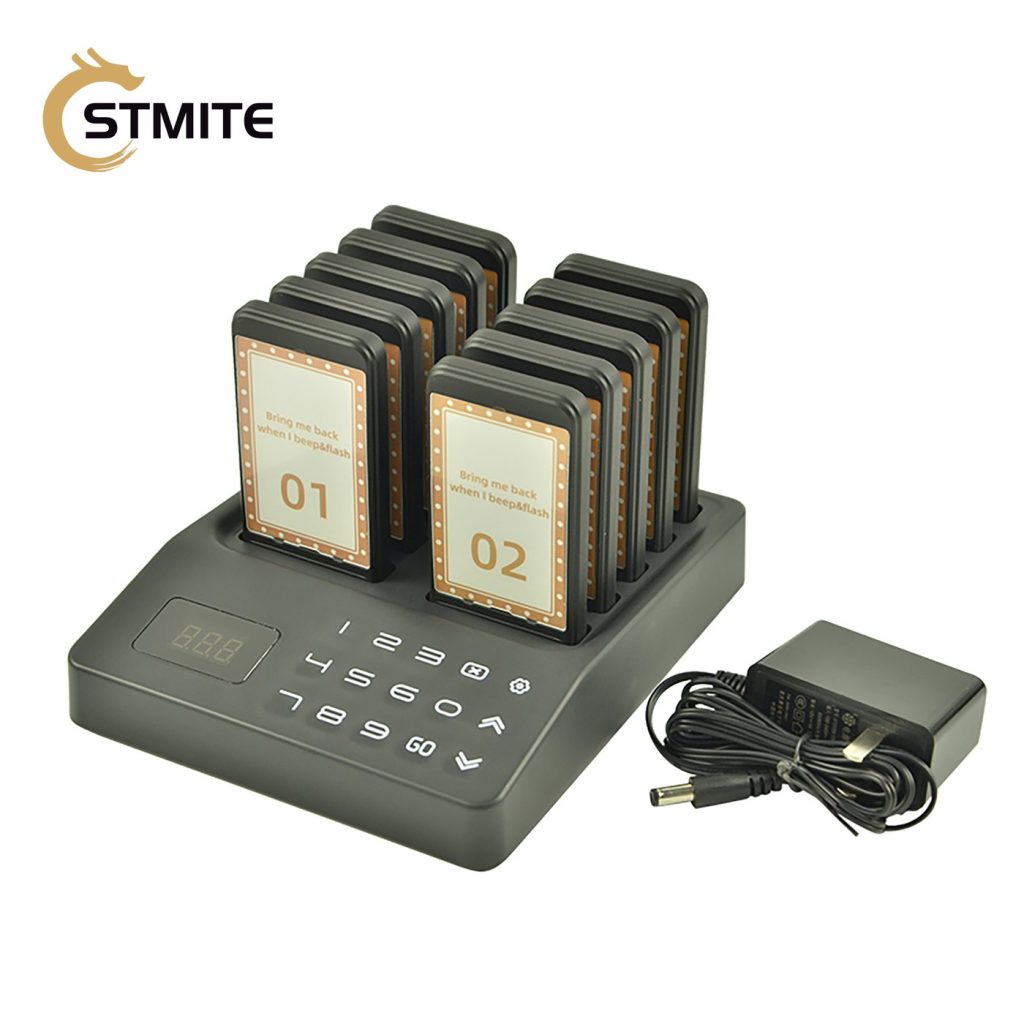
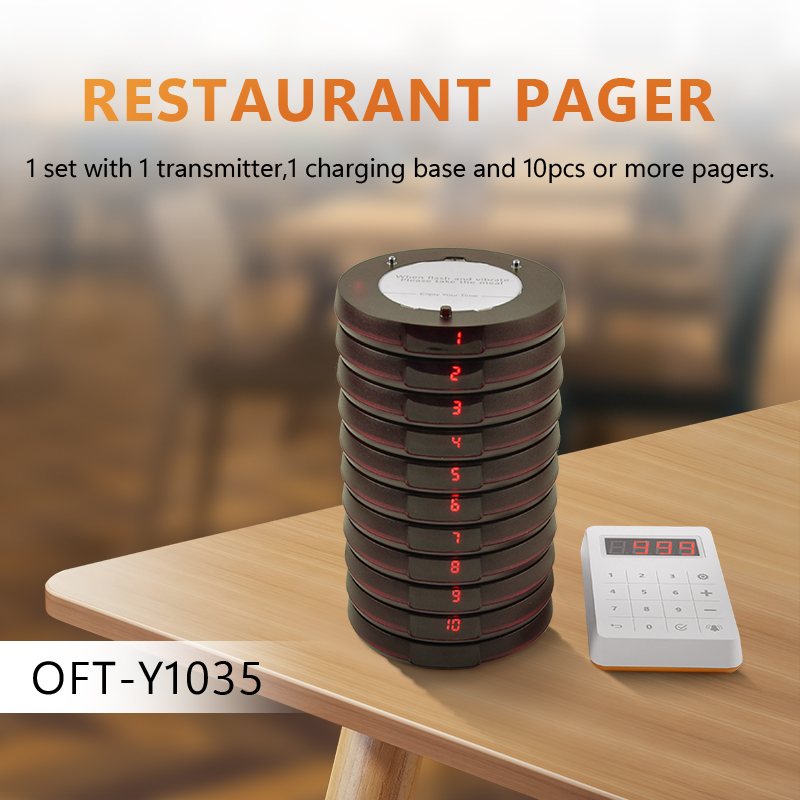
Product photos from the catalog give buyers a cleaner reference for pager quantity, transmitter controls, base layout, and the next purchase step.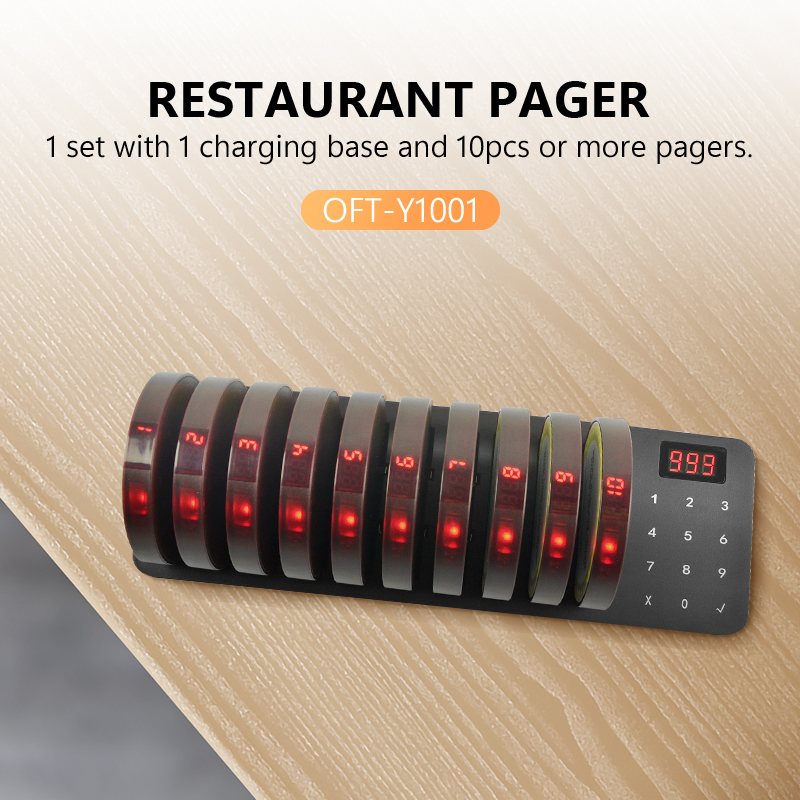
- Count peak active waiters.
- Review the product kit image.
- Choose checkout or quote support.