
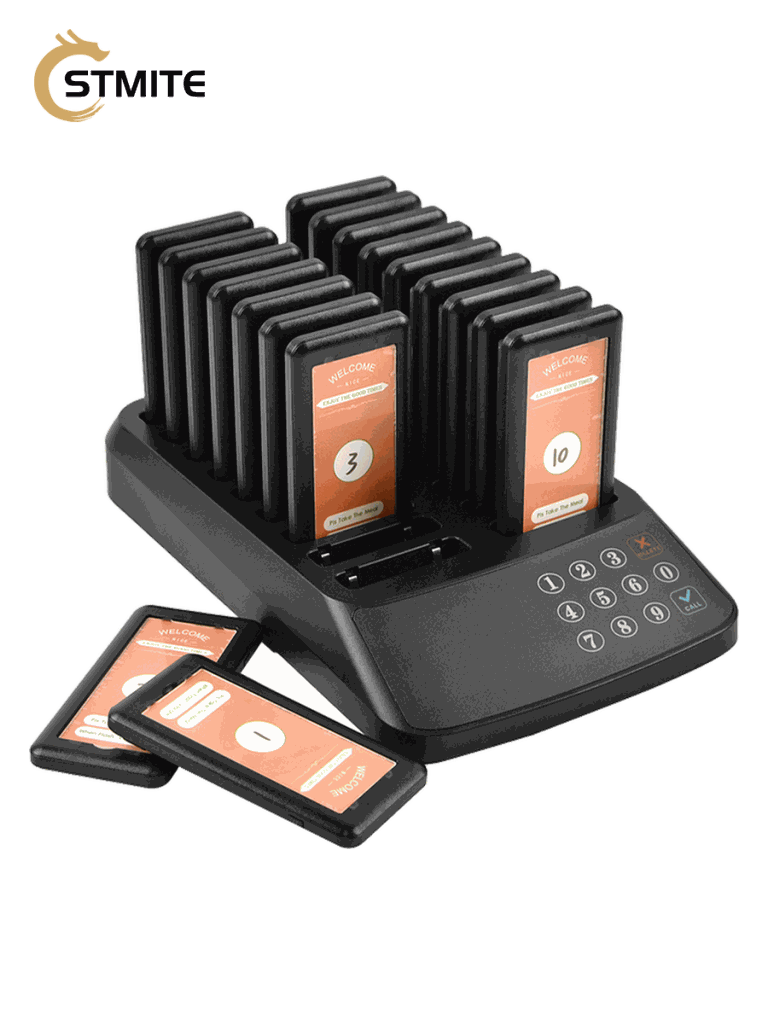
A waiting room paging system helps a clinic, service counter, or reception desk call people back without shouting names across the room. The basic workflow is simple: staff hand out a numbered pager at check-in, the visitor waits nearby, and the desk triggers the pager when it is time to return.
For buyers, the important question is not only whether the pager can buzz. It is whether the system fits the actual waiting flow, the size of the waiting area, the number of people waiting at one time, and the way staff collect pagers after each call.
When a waiting room paging system makes sense
A pager workflow is most useful when visitors are already on site but should not crowd the front desk. This can apply to small clinics, dental offices, beauty service counters, repair desks, pickup counters, and other waiting areas where people need a clear return signal.
- The front desk wants a quieter way to call people back.
- Visitors may wait in a lobby, hallway, nearby seating area, or just outside the counter area.
- Staff do not want to rely on phone numbers for every short wait.
- The business needs a repeatable check-in, wait, alert, and return process.
For medical and clinic environments, the pager is only the alert tool. Staff should still follow their normal identity check, appointment, and privacy procedures before serving a patient.
How the workflow should look
A clean waiting room paging workflow usually has five steps:
- Assign a pager number when the visitor checks in.
- Keep the transmitter at the reception desk or service counter.
- Let the visitor wait in the approved waiting zone.
- Press the matching number when staff are ready.
- Collect the pager, return it to the charging base, and reset it for the next visitor.
The process sounds small, but it matters. If staff do not collect pagers consistently, the system becomes harder to manage. If the charging base is placed too far from the desk, staff may forget to return units after each call. The best setup is usually the simplest one: transmitter near the person calling visitors, charging base near the return point, and pager numbers used consistently.
How many pagers should a waiting room choose?
Choose the pager count based on the busiest moment of the day, not the average moment. If a clinic usually has 8 people waiting but sometimes reaches 14, a 10-pager kit may feel too tight. A small buffer gives staff room for late returns, walk-ins, and overlapping appointments.
| Waiting pattern | Typical fit | Why it works |
|---|---|---|
| Small reception desk with light waiting | 15 pack clinic waiting pager system | Enough for compact waiting rooms and basic front desk flow. |
| Clinic or service counter with regular overlap | 18 pack clinic waiting pager system | Better buffer when multiple visitors wait at the same time. |
| Service desk or multi-counter pickup area | 21 pack service desk pager system | Useful when more pagers may be out before earlier units return. |
If you are unsure, estimate your busiest waiting count and add a small buffer. It is usually easier to manage extra available pagers than to run out during the busiest hour.
Range and real building layout
Pager range depends on the real environment. A clear open area is different from a clinic with interior walls, equipment rooms, elevators, metal doors, or long hallways. Before relying on any paging system, test the path that visitors actually use.
For a waiting room, test these locations:
- The farthest seat in the waiting area.
- Nearby hallway seats if visitors wait outside the room.
- The entrance area if visitors step out briefly.
- Any room or corner separated by thick walls.
A waiting room paging system should support the workflow you actually allow. If visitors may leave the building or walk far away, a physical pager may not be the right alert method unless the range is tested and confirmed.
Charging and daily handling
The charging base is part of the workflow, not just a storage tray. Put it where staff can easily return pagers after each call. If the base is hidden away, pagers may sit on the desk, lose charge, or get mixed into the wrong order.
Good daily handling usually includes:
- Charging pagers before the start of service.
- Keeping one clear return location at the counter.
- Checking that pager numbers match the desk record.
- Cleaning returned pagers according to the business’s normal hygiene process.
What to ask before buying
Before choosing a kit, prepare a few facts. These make it easier to recommend the right pager count and avoid buying a system that does not fit your space.
- How many people may wait at the busiest time?
- Where will they wait: one room, hallway, nearby outdoor area, or multiple zones?
- Who presses the transmitter: receptionist, nurse station, service desk, or pickup counter?
- Where will pagers be collected and charged?
- Which country or region will the order ship to?
Shipping cost and available routes can depend on destination country and order details. For a firm recommendation, include your country, expected quantity, and intended use case when asking for pricing.
Recommended STMITE pages
- Clinic waiting room pager system
- Customer paging system
- Queue paging system
- Paging systems category
- Contact STMITE for pager recommendations
FAQ
Is a waiting room paging system only for clinics?
No. The same basic workflow can also fit service counters, repair desks, pickup counters, salons, and other places where visitors wait on site.
Can it replace calling patient names?
It can reduce the need to call names loudly, but clinics should still follow their own identity confirmation and privacy procedures before serving a patient.
How many pagers should I order?
Start with the busiest number of people waiting at one time, then add a small buffer for late returns and peak hours.
Can visitors leave the building with a pager?
Only if the real route and distance are tested. Walls, doors, elevators, and outdoor distance can affect performance.
If you are choosing a waiting room paging system for a clinic, reception desk, or service counter, send STMITE your waiting area size, expected pager count, and shipping country. The team can help match the kit size to your workflow before you buy.