
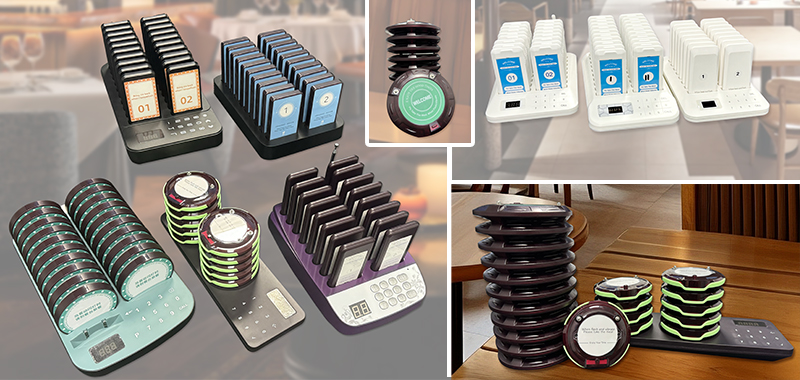
Wireless guest pager range depends on the actual site. Open areas are easier. Thick walls, metal fixtures, kitchen equipment, glass partitions, basements, and outdoor corners can reduce the practical distance. Before choosing a system, plan where the transmitter sits and where customers really wait.
What affects pager range?
- Distance between the transmitter and the waiting area.
- Walls, floors, kitchen equipment, metal shelving, and other obstacles.
- Whether guests wait indoors, outdoors, around corners, or across a shared food hall.
- How consistently staff place and trigger the transmitter.
Place the transmitter first
The transmitter should sit where staff can use it every time without moving it around. For restaurants, this is usually near the pickup counter or prep handoff area. For clinics, it may be near reception. For food trucks, it should stay protected and easy to reach during service.
Test the real waiting path
Do not test only from the counter to the front door. Walk the same path customers take: seating area, patio, entrance, outdoor line, nearby pickup zone, or reception waiting area. If the waiting distance is a major part of the buying decision, review long range pager planning before ordering.
Connect range to the buying path
Range is only one part of the decision. Also compare pager quantity, charging base location, return workflow, and business type. The paging systems category, wireless guest pager system product page, and 20 pager system guide are the best pages to check after range planning.
Related STMITE pages
FAQ
Can walls reduce wireless guest pager range?
Yes. Thick walls, metal fixtures, kitchen equipment, and floor changes can reduce practical range compared with open space.
Should I test range before relying on the system?
Yes. Test from the real transmitter position to the real customer waiting areas before the busiest service period.
What if customers wait outdoors?
Outdoor waiting can work, but distance, weather protection, line-of-sight, and return workflow should be checked before choosing the kit.
Share this article
Next useful pages
Continue To The Main Buying Pages
These related STMITE pages connect this guide to the live product path, commercial pages, and comparison resources.Core buying paths
- Restaurant Pager SystemMain restaurant pickup and waiting-area buying path.
- Guest Paging SystemGeneral guest waiting and return-call planning.
- Wireless Paging SystemBroad planning page for restaurants, clinics, and service desks.
- Wireless Calling SystemReturn-call workflow for pickup and service counters.
- Customer Paging SystemCustomer callback planning for waiting areas and counters.
Pickup notifications
- Takeout Pager SystemFood pickup and takeaway counter notification path.
- Order Ready Pager SystemOrder-ready alerts for food, drink, and service pickup.
- Customer Notification SystemOn-site customer notification without app or phone signup.
- Queue Paging SystemQueue flow page for customers waiting away from the counter.
Product and comparison
- Paging Systems CategoryBrowse the live STMITE paging system product category.