
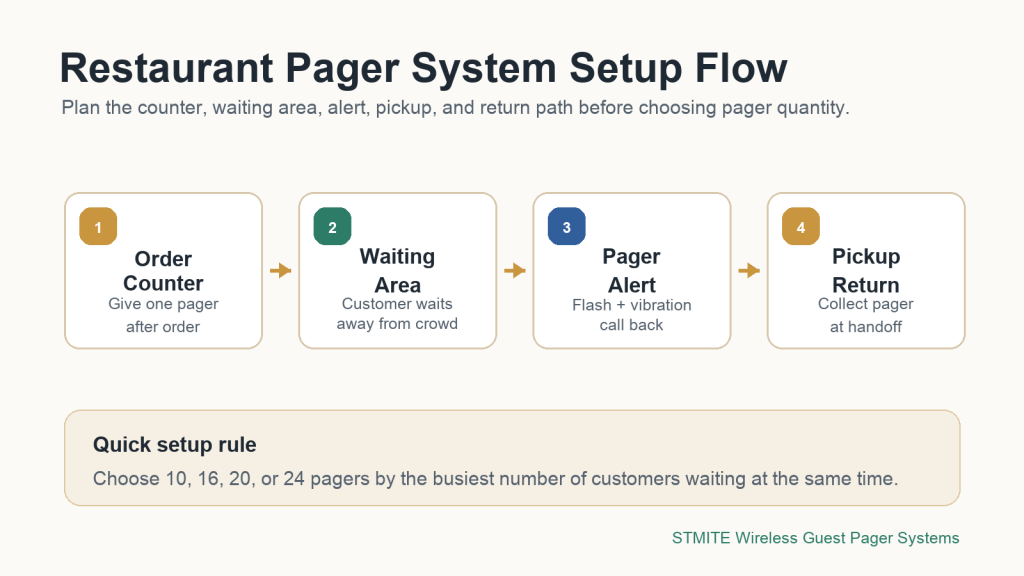
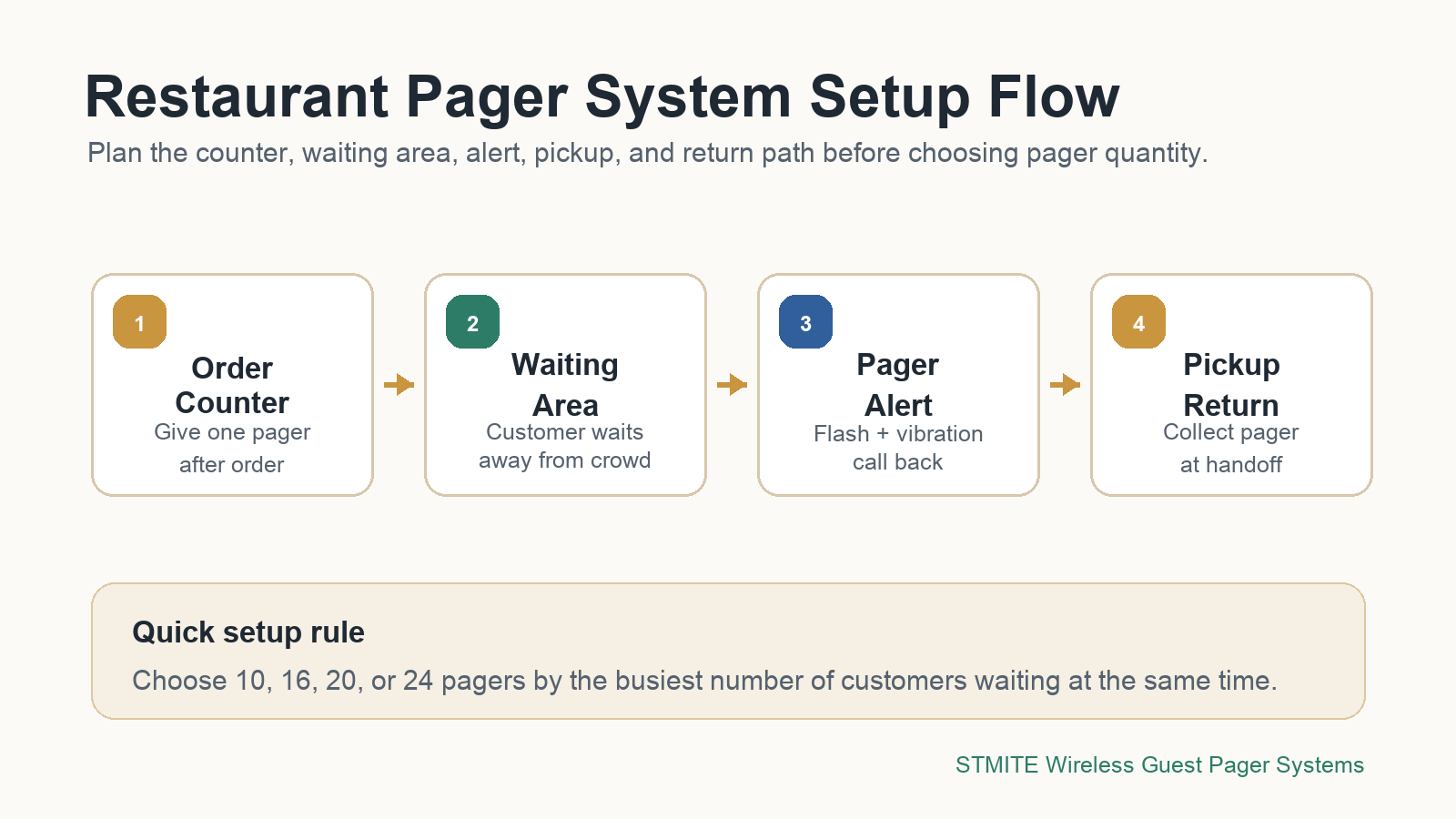
A restaurant pager system works best when it is planned around the real pickup flow: where customers order, where they wait, how staff call them back, and how pagers return to the counter. Before comparing every feature, map the setup first.
Start with the counter layout
Most restaurants, cafes, food trucks, and pickup counters need the same basic flow: order, wait, alert, pickup, and return. The pager system should support that path without making staff explain the process repeatedly.
If the pickup area is crowded, the first goal is not only to notify customers. The goal is to move waiting customers away from the counter so staff can prepare orders, answer questions, and hand off food with less pressure.
Use pager count to match peak waiting volume
The right pager quantity depends on your busiest waiting period, not only your daily order total. Count how many customers may be waiting at the same time during lunch, dinner, weekend, or event traffic.
| Setup need | Good starting point | Best use case |
|---|---|---|
| Light pickup flow | 10 pager system | Small cafe, takeaway counter, starter restaurant setup |
| Moderate rush period | 16 pager system | Restaurant pickup counter, dessert shop, clinic reception |
| Busy waiting area | 20 pager system | Food court, multi-staff service counter, high-volume pickup |
| Heavy peak-hour queue | 24 pager system | Large restaurant, event service desk, crowded waiting zone |
Plan the alert style by environment
A restaurant pager should be easy to notice in the real room. In a noisy pickup counter, flashing and vibration help customers recognize the alert. In quieter waiting areas, vibration-first alerts can feel more comfortable and less disruptive.
Before buying, confirm whether customers wait indoors, outdoors, near the counter, or across a larger seating area. The alert style should match where people actually stand or sit while they wait.
Make the return routine simple
The return routine matters because lost or uncharged pagers slow the whole system down. Keep the charging base close to the counter, train staff to collect the pager during pickup, and check the stack at closing time.
- At order: staff gives the customer one pager and records the order as usual.
- During waiting: the customer can leave the counter area without missing the call.
- When ready: staff calls the pager instead of repeating names or order numbers.
- At pickup: the customer returns the pager before leaving with the order.
What to check before choosing a system
Use this short checklist before you decide which restaurant pager system setup fits your counter.
- Peak waiting count: how many customers wait at the same time?
- Waiting distance: do customers stay near the counter or move to a wider area?
- Alert preference: do you need vibration, flashing, sound, or a mixed alert?
- Charging habit: where will staff charge and reset pagers each day?
- Expansion plan: will you need more pagers after the first setup?
Recommended next step
If you are setting up a pickup counter, start with your busiest waiting period and choose the pager quantity from there. STMITE wireless guest pager systems are designed for restaurants, cafes, reception desks, food pickup counters, and service waiting areas.
View the STMITE wireless guest pager system, compare all models on the pager system product page, or start with the 10 pager system, 16 pager system, 20 pager system, and 24 pager system guides.