
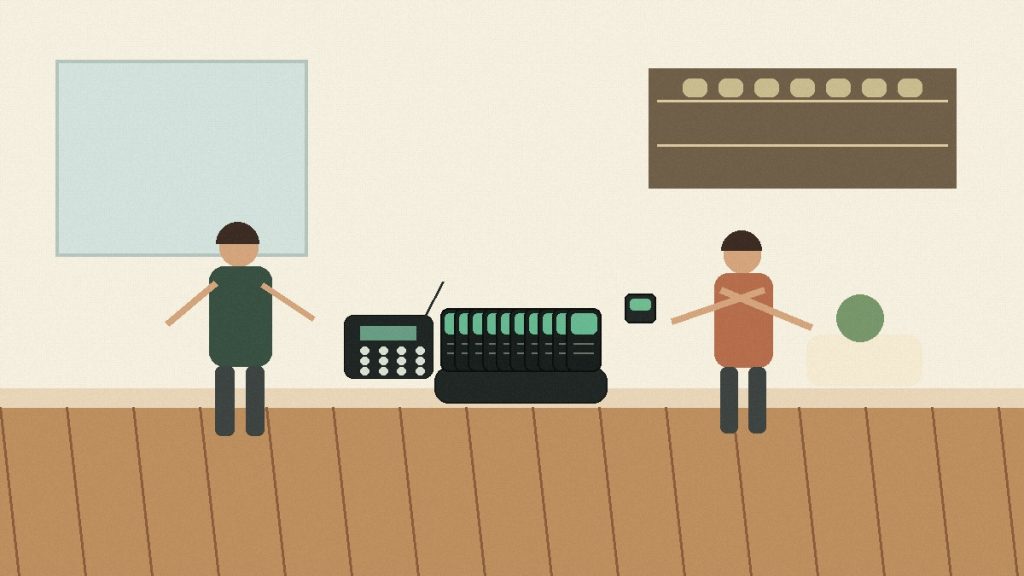
Restaurant pickup has changed again in 2026. More orders now move through digital ordering, takeout, self-service counters, delivery pickup shelves, and off-premise dining workflows. The result is simple: restaurants need a faster way to tell guests when food is ready without making the pickup counter noisy, crowded, or confusing.
That is why terms like digital waitlist, SMS notifications, pickup order management, queue management, and restaurant automation keep appearing in restaurant operations conversations. But for many on-site pickup counters, the practical question is still very direct: should you use a phone-based queue, or should you use a physical restaurant pager system?
Why pickup notification matters more in 2026
Pickup is no longer a side workflow. A restaurant may serve dine-in guests, app orders, walk-in takeout customers, delivery drivers, and group orders at the same time. If the pickup process is not clear, staff repeat names, guests crowd near the counter, and ready orders sit too long.
A good pickup notification system should do three things:
- Let guests wait away from the pickup counter.
- Give staff a simple way to call the right customer at the right time.
- Keep the workflow easy during lunch rush, dinner rush, events, and weekend traffic.
The best system is not always the most complex one. For a restaurant where customers stay nearby, a reusable wireless guest pager can often be easier than asking every customer to enter a phone number and watch for a message.
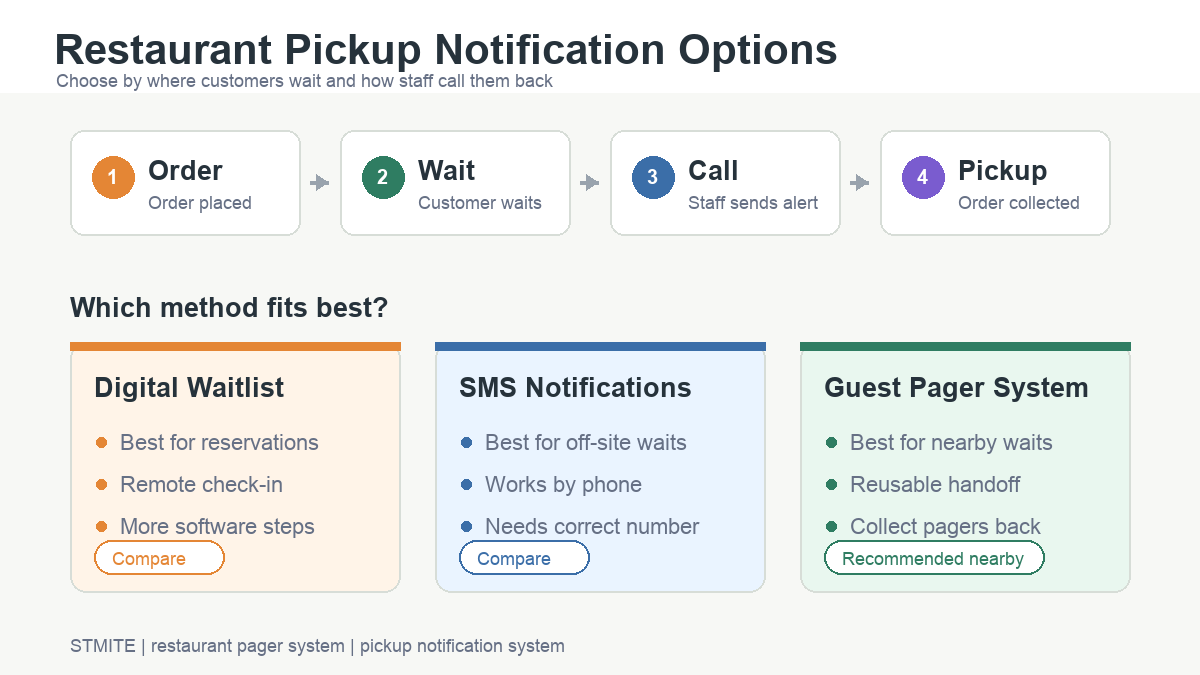
Digital waitlist, SMS notifications, or guest pagers?
Each option can work, but each one fits a different waiting behavior.
| Option | Best fit | Main risk |
|---|---|---|
| Digital waitlist | Restaurants that already use reservations, tablets, or front-of-house software | May add steps if the customer is only waiting briefly for pickup |
| SMS notifications | Customers who leave the restaurant or wait farther away | Phone entry mistakes, delayed attention, or privacy concerns |
| Wireless guest pager system | On-site pickup counters, food courts, cafes, quick-service restaurants, and busy waiting areas | Staff need a clear handout and return routine |
When a restaurant pager system is the stronger choice
A restaurant pager system works best when the customer is still on-site or nearby. The staff member hands out a pager after the order is placed. The guest can sit down, stand away from the counter, or wait in a nearby pickup zone. When the order is ready, staff call the pager and the guest returns.
This workflow is useful when:
- The pickup counter gets crowded during peak hours.
- Staff do not want to shout order numbers or names.
- Guests may not want to share phone numbers for a short wait.
- The restaurant wants a reusable device instead of a message-based workflow for every order.
- The operation needs a simple system that new staff can understand quickly.
For these situations, start with the STMITE paging systems category and compare pager quantity, counter workflow, and pickup area size before choosing a set.
When SMS notifications may still make sense
SMS can be useful when customers leave the site, wait in a car, or expect a phone-based update. It can also fit longer wait times, appointments, or restaurants that already collect phone numbers through online ordering.
The trade-off is that SMS depends on phone number entry, message delivery, and customer attention. If the customer mistypes a number, misses the message, or does not want to provide a phone number, the pickup process can still slow down.
A simple pickup order workflow
For many restaurants, the cleanest workflow is:
- Customer places the order at the counter, kiosk, or pickup desk.
- Staff hand out a numbered pager.
- Customer waits away from the counter.
- Kitchen or counter staff call the pager when the order is ready.
- Customer returns, collects the order, and staff recover the pager.
This keeps the pickup area easier to scan. It also gives staff a visible handoff process instead of relying only on names, voices, or phones.
Buyer checklist for 2026 pickup operations
Before choosing a restaurant queue management system, answer these questions:
- Do most customers wait on-site or leave the location?
- How many pickup orders happen during the busiest 30 minutes?
- Do staff need to serve dine-in, takeout, and delivery pickup at the same counter?
- Is the waiting area close enough for a local pager workflow?
- Will the team consistently collect pagers back after pickup?
- Do you need one counter station or multiple calling points?
If most customers stay nearby, a wireless guest pager system is usually worth reviewing first. If customers often leave the location, compare pager workflow with SMS notifications before deciding.
Where STMITE fits
STMITE focuses on practical wireless paging systems for restaurants, cafes, food courts, service counters, and waiting areas. For restaurant pickup, the goal is not to make the process complicated. The goal is to help staff call guests back clearly and keep the counter moving.
If you are planning a new pickup counter or upgrading an existing queue process, review the restaurant pager system page, compare available paging products, and then contact STMITE with your target quantity and waiting scenario.
FAQ
Is a restaurant pager system still useful in 2026?
Yes. For on-site pickup, a physical pager can still be practical because customers do not need to enter a phone number or watch for a text message during a short wait.
Is SMS better than a guest pager?
SMS is better when customers leave the location or wait far away. A guest pager is often better when customers stay nearby and staff need a fast reusable handoff.
What keywords should restaurants compare before buying?
Useful search terms include restaurant pager system, wireless guest pager system, pickup notification system, digital waitlist, SMS notifications, queue management, and restaurant automation.
How many pagers should a restaurant prepare?
Start with the busiest pickup window. Estimate how many customers wait at the same time, then choose a set that covers peak demand with a small buffer.